If you manage a blog, writing new content is only one aspect of the work.
You also need to know how people find your material and how well your website performs in Google Search.
Search Console provides bloggers with useful information about their website’s presence in Google Search.
By reviewing the appropriate reports on a regular basis, you may detect problems, successful material, and possibilities to improve your blog.
Here are the most crucial Search Console regions that every blogger should be aware of.
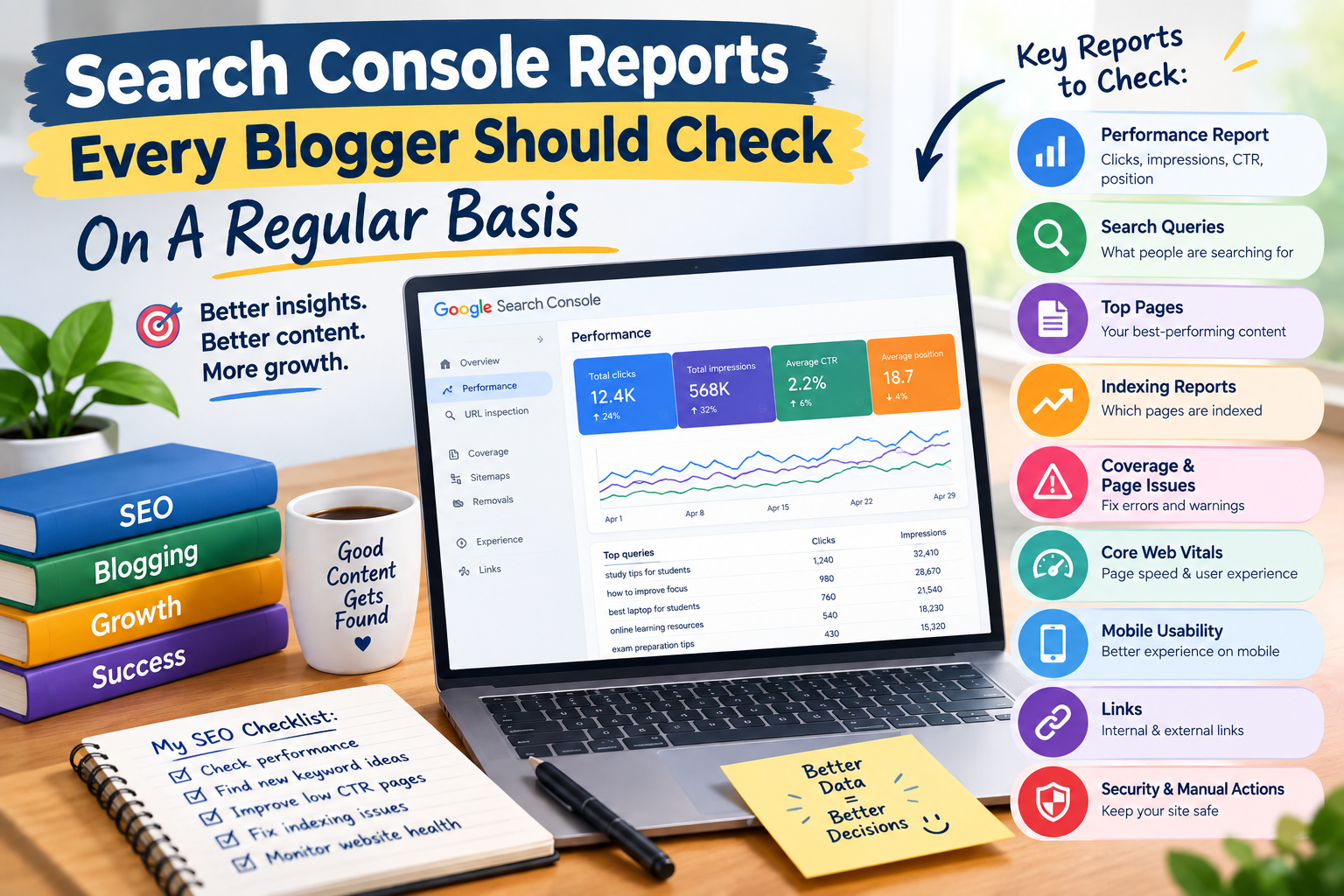
The Performance report is one of the most valuable elements for bloggers.
These figures can help you determine whether visitors are discovering your articles via Google.
For example, an article may get thousands of impressions but relatively few clicks. This could signal a need to update the page title or search-result presentation.
Search queries might disclose what visitors are genuinely looking for when they visit your website.
This knowledge can be quite beneficial when creating future blog posts.
You may notice that an article you produced about exam preparation is surfacing in multiple related searches that you did not intend to target.
These queries can provide suggestions for updating the present article or producing new material based on related questions.
Search Console can help you determine which sites receive the most search exposure and clicks.
Spend some time reviewing your best-performing content.
Your successful content might reveal information about what your audience desires.
This is another report that’s worth viewing.
Assume one of your articles has 30,000 impressions but only 300 clicks.
The page appears in search results, but very few people choose it.
This may be a chance to enhance the page’s title and description so that they better communicate the article’s worth.
However, don’t use misleading headlines just to get more clicks. Your title should appropriately reflect the material that visitors will find on the page.
Search Console also displays information about your average position in search results.
This might assist you identify which pages are functioning well and which may require improvement.
If an article ranks on the second page for a relevant search term, you may already have a strong foundation.
Improving the content, answering the searcher’s question more completely, and boosting the entire page may help it compete for higher prominence.
Search rankings might change over time, so don’t judge a page based on a single day’s ranking.
Creating an article does not always imply that Google has crawled it.
Indexing reports can assist you determine which pages Google has successfully digested and which may have issues.
If essential pages aren’t indexed, look into why rather than simply releasing more articles.
Indexing issues may be caused by technological faults, page accessibility, duplicate content, or other circumstances.
Page Indexing Problems
Pay attention to pages that Google indicates are not indexed.
Search Console can tell you why some URLs do not appear in Google’s index.
This is especially crucial for bloggers because it is common to believe that every published article is searchable, which is not always the case.
Examine the identified issues and assess whether the impacted pages are critical to your website.
A sitemap assists search engines in identifying important URLs on your website.
If you submitted a sitemap through Search Console, review it on a regular basis to ensure that it is being correctly digested.
A sitemap does not guarantee that every page will rank or be indexed, but keeping your technical setup organised can help search engines discover your material.
Bloggers should also consider the user experience on their websites.
Core Web Vitals provide data on site experience characteristics such as loading speed, responsiveness, and visual stability.
This is important since a slow or difficult-to-use website might give visitors a negative experience.
If Search Console identifies issues, attempt to improve your website’s performance, especially for mobile users.
Many individuals browse blogs through their smartphones.
Make your material easier to read on smaller displays. Text should be readable, buttons should be useful, and visitors should not be forced to repeatedly zoom in or scroll laterally.
A clean mobile experience can improve your blog’s appeal to your target audience.
The Links section can provide important information regarding links to your website.
You may be able to view information about internal and external links.
Internal links are especially significant for bloggers since they allow viewers to discover related articles.
Creating a well-organised internal linking structure can improve website navigation.
Security should never be overlooked.
If Google identifies any security issues with your website, Search Console may inform you.
If you receive a security warning, you should investigate it right away. A hacked website can tarnish your reputation and potentially expose visitors to dangerous content.
Keeping your blogging platform, themes, plugins, and other website components up to date can also assist eliminate security vulnerabilities.
Bloggers should know where to look for manual actions.
A manual action may indicate that Google’s staff has found that a website or part of its pages do not comply with relevant search spam policies.
If Search Console reports a manual action, thoroughly examine the details and resolve the reported issue.
Do not disregard warnings just because your website is still getting traffic.
When you need to analyse a certain page, the URL Inspection tool comes in handy.
For example, after posting an essential piece, you may wish to verify its indexing status.
The tool can tell you how Google sees your URL and whether there are any indexing issues that need to be addressed.
Checking the Search Console on a regular basis is very useful for troubleshooting individual pages.
You do not have to spend hours each day on Search Console.
Most bloggers only need to review significant reports on a regular basis.
A simple routine could include reviewing
The exact timetable may vary depending on how frequently you publish and how essential search traffic is to your site.
Final Thoughts
Google Search Console is more than just a tool for monitoring online traffic.
It can assist writers evaluate how their material performs in Google searches and discover areas for improvement on their website.
The idea is to avoid obsessing over every statistic.
Instead, utilise the insights to improve your content and website.
Publish useful material, track your results, solve critical issues, and constantly improve your blog.
With time, Search Console can become one of the most valuable tools in your blogging workflow.